
Démarrez votre parcours professionnel en ligne


How can I make my Google Drive document public?
Follow below mention steps to make your Google Document Public:
Step 1: Login into your Google Drive
Step 2: Select the document that you want to make Public
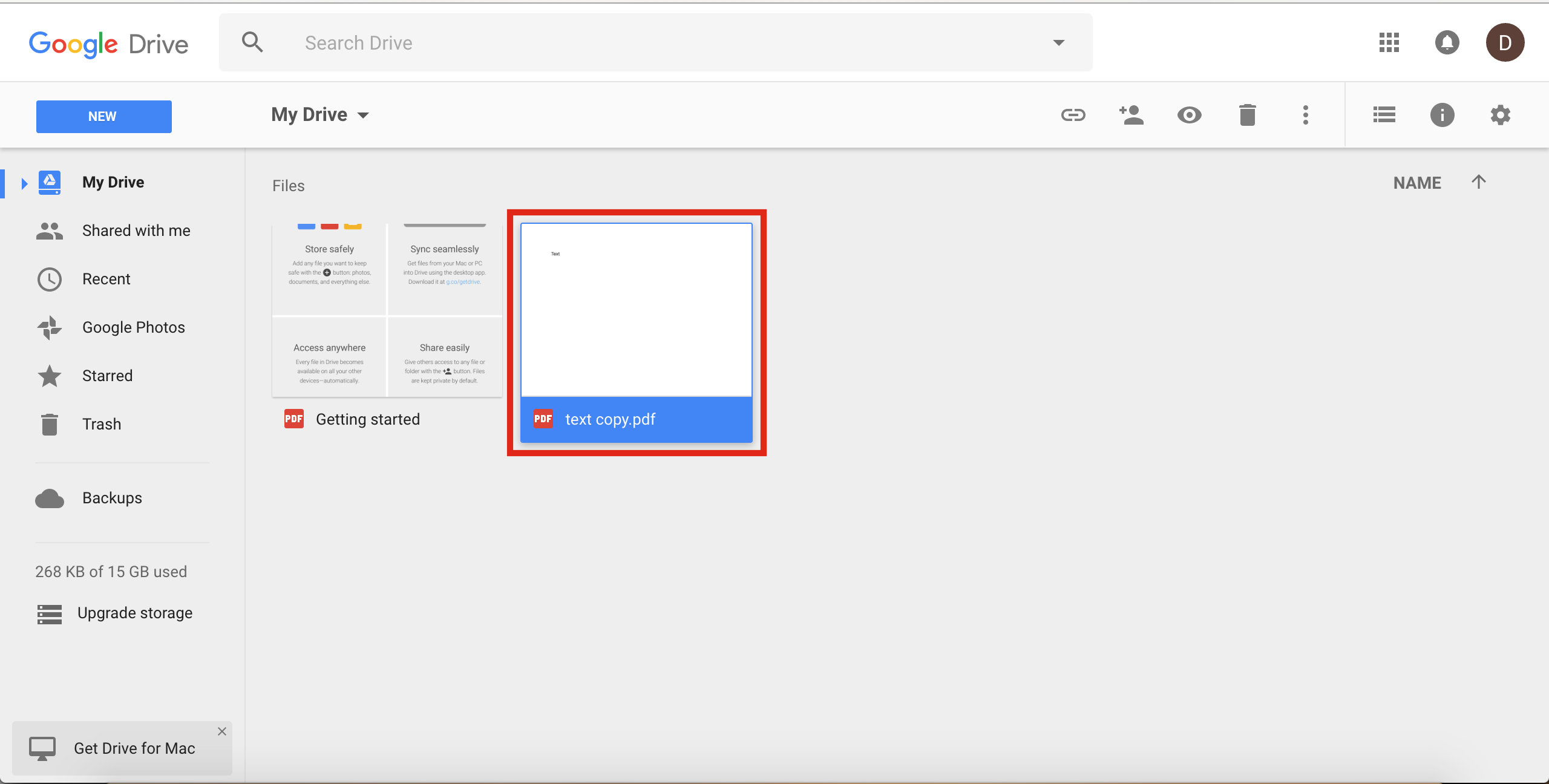
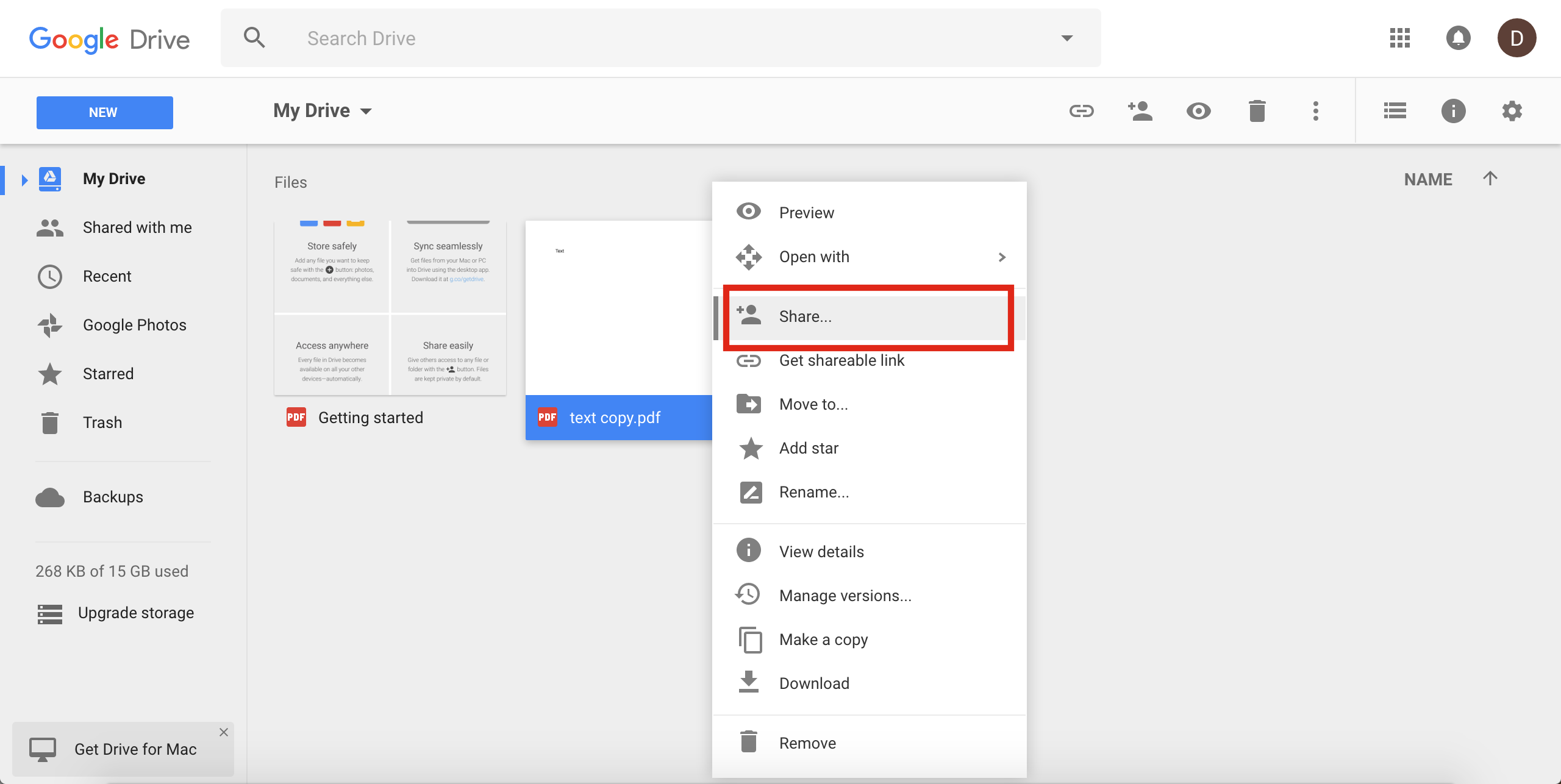
Step 3: Right click on the document and select Share option
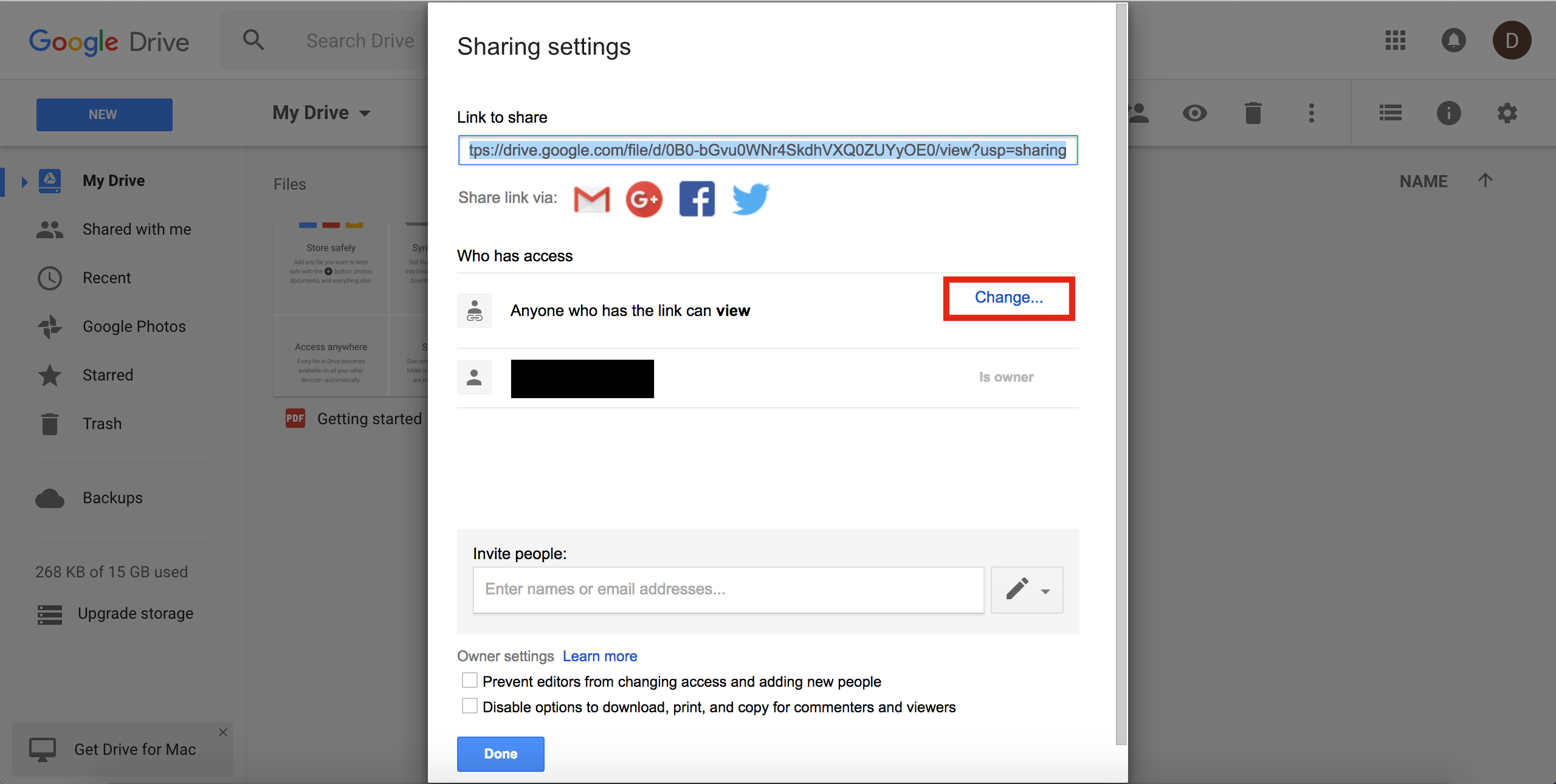
Step 4: Click Advanced button

Step 5: On Sharing Setting window, click Change link
Step 6: On Link Sharing window, select Public on the web option
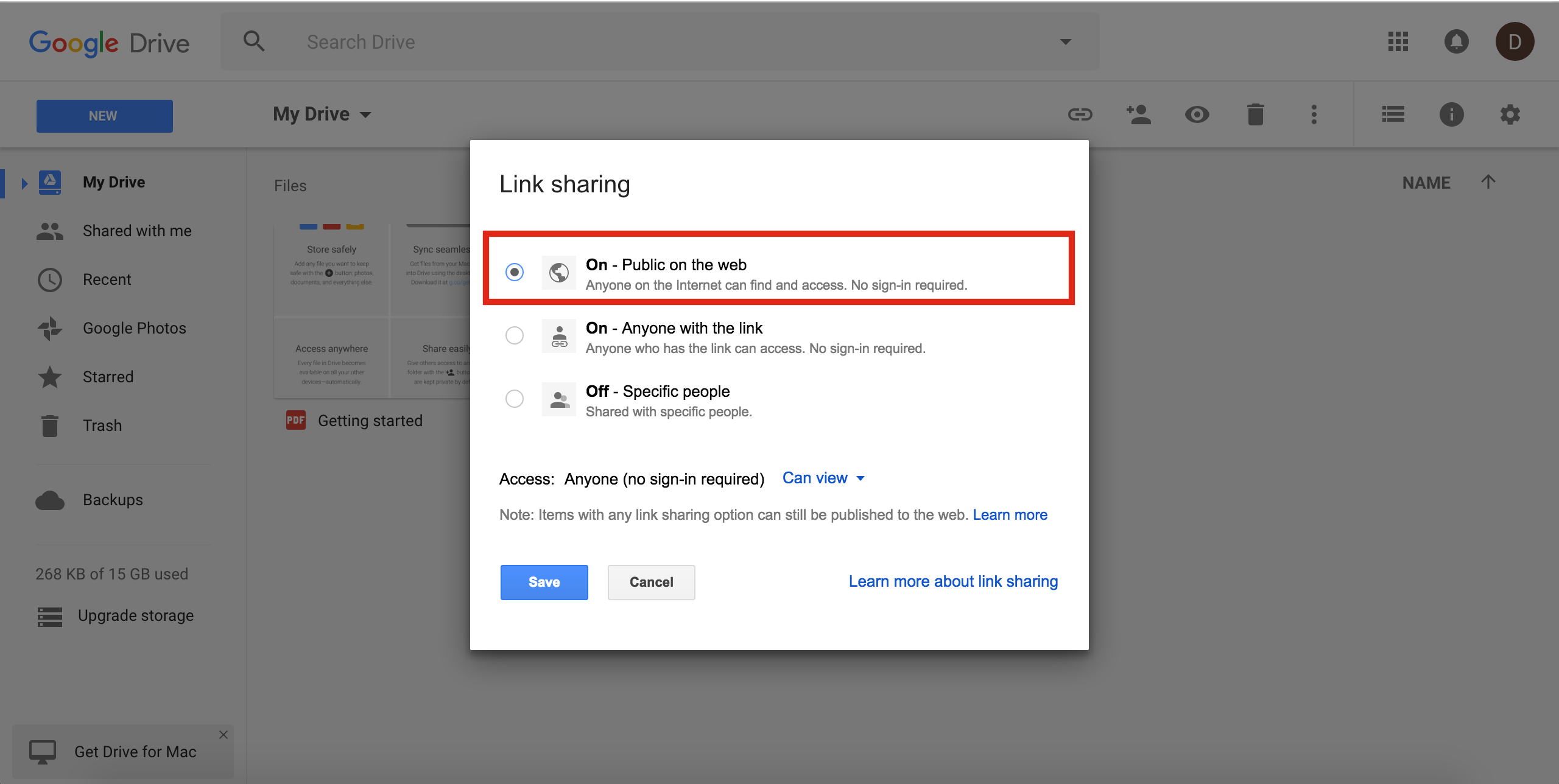
Step 7: Click on Save button
Step 8: Click on Done button
Cet article a-t-il été utile
Cet article a-t-il été utile
Merci pour vos commentaires!
- S’inscrire
- Se connecter

Bienvenue, Invité!