
Démarrez votre parcours professionnel en ligne


How Demand delivery driver can connect their Stripe connect account?
Follow steps below to Demand delivery driver can connect their Stripe connect account :
Step 1: Open the Demand delivery driver app in your device
Step 2: If you have already created an account enter your credentials to login, else create an account by clicking on create a new account 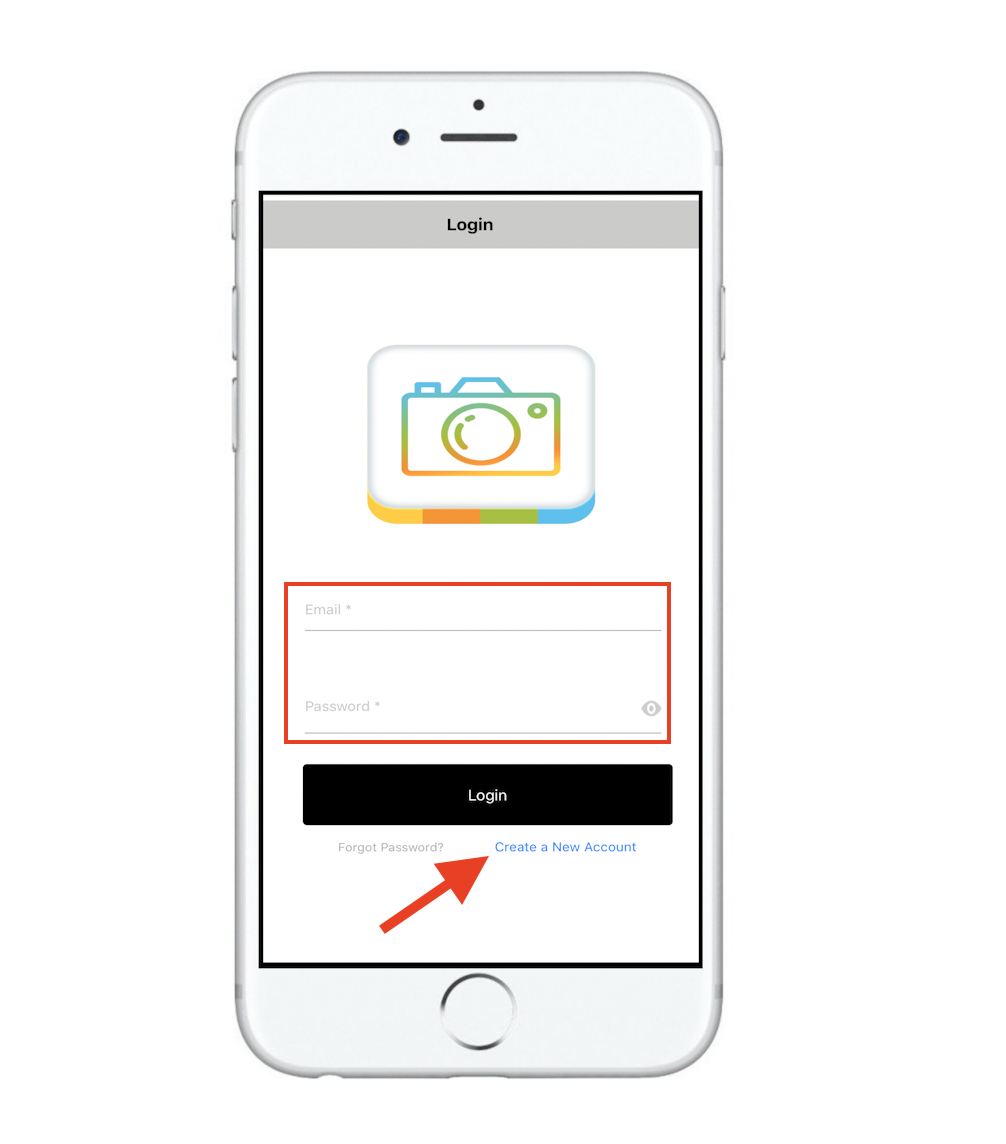
Step 3: On your driver app dashboard, click on menu icon
Step 4: Click on Stripe Connect

Step 5: Click on connect
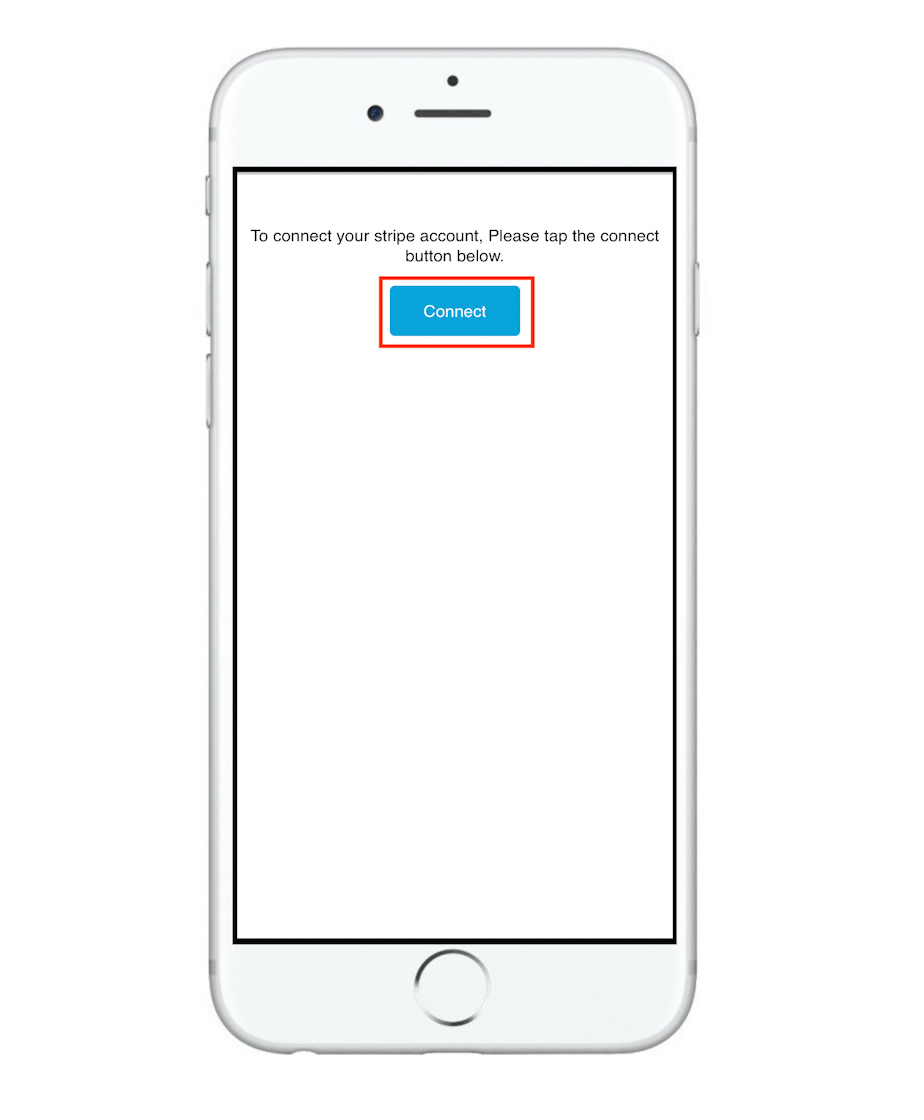
Step 6: Click on sign 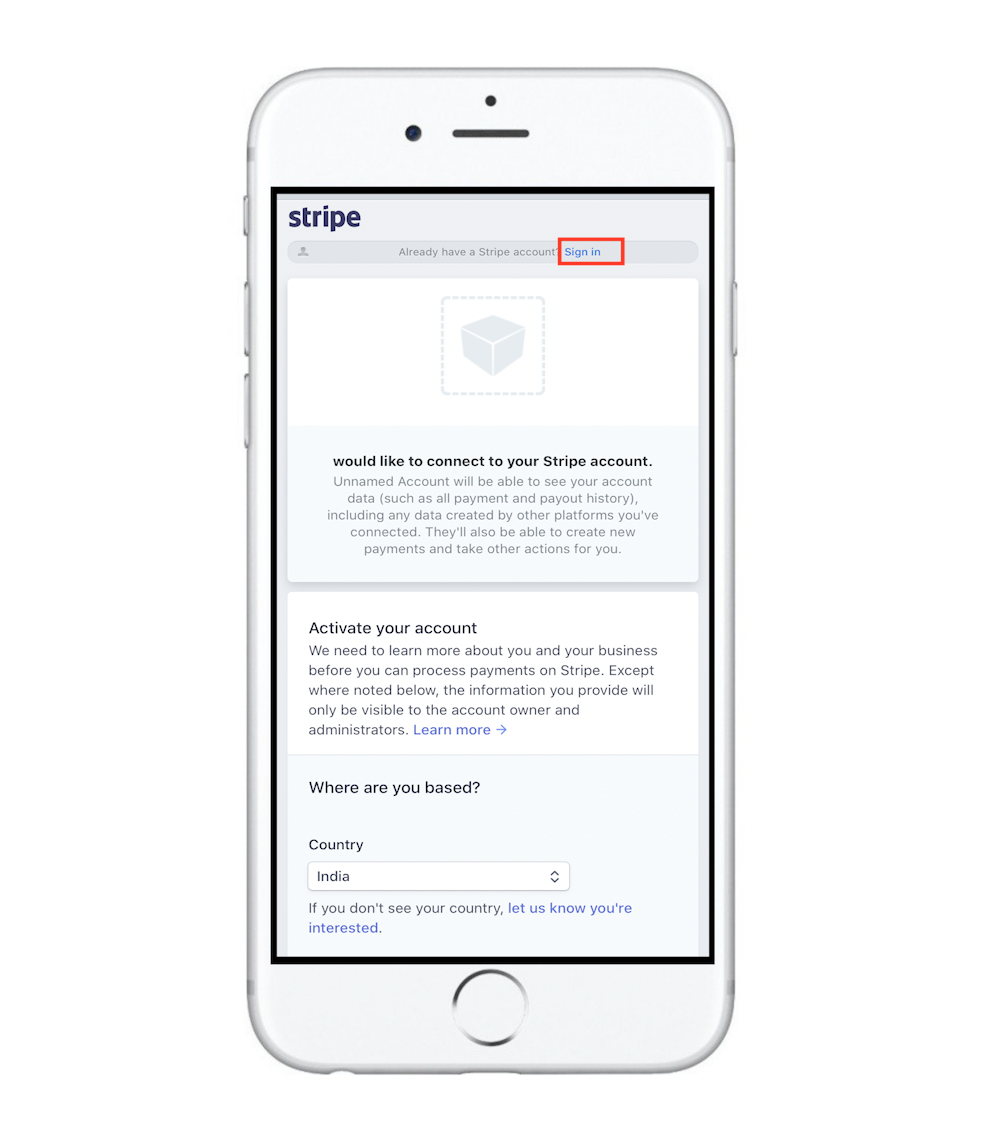
Step 7: Enter your account credentials and login, or click on Sign up to create the account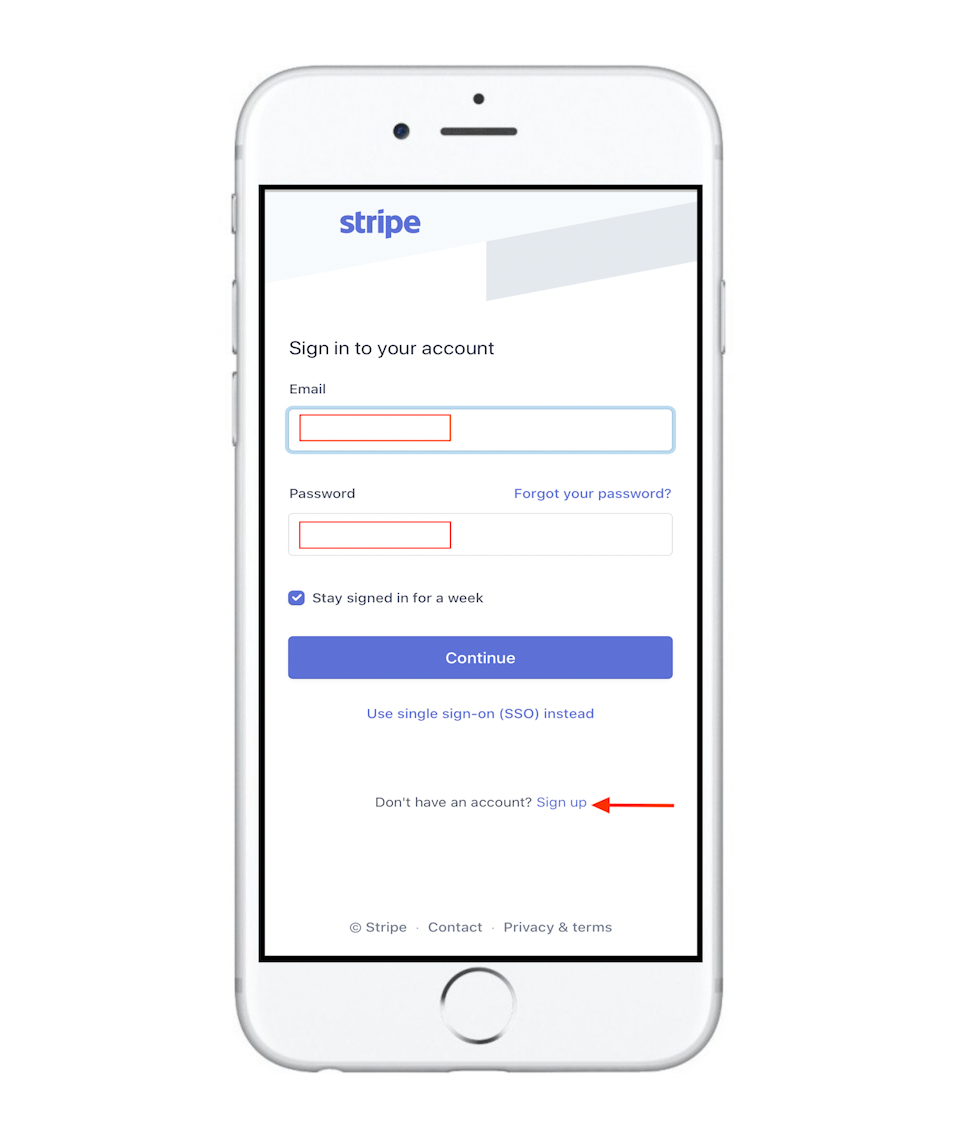
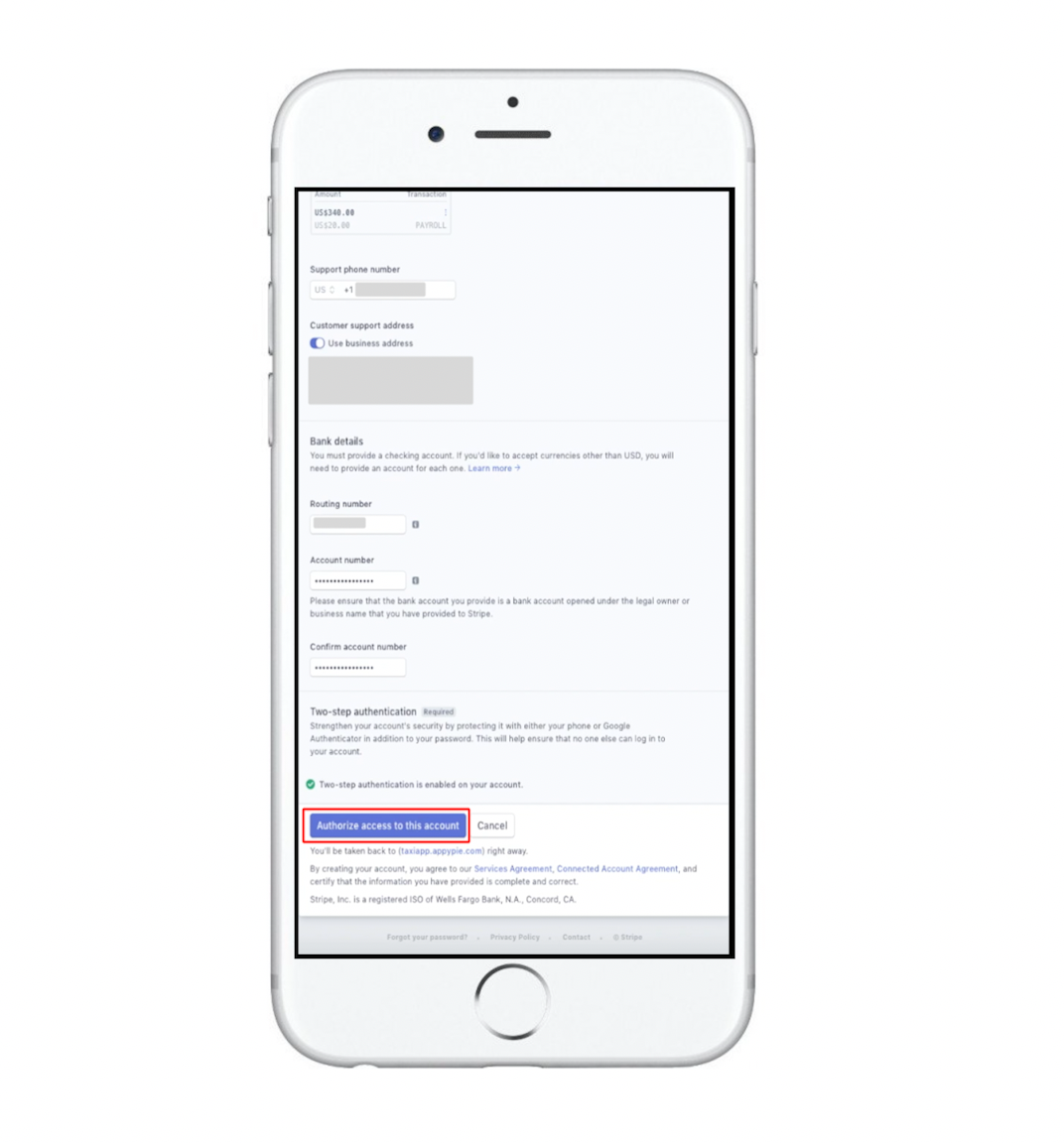
Step 8: Here, you need to provide a few details to activate your account

Step 9:Scroll down and click on Authorize access to this account button
Cet article a-t-il été utile
Cet article a-t-il été utile
Merci pour vos commentaires!
- S’inscrire
- Se connecter

Bienvenue, Invité!